"How much does a website cost" is one of the hardest questions to get a straight answer to.
Prices range from a few hundred dollars to tens of thousands, and most companies will not give you a real number until after a sales call. Here is what actually drives the price, and real numbers you can compare against.
If you have tried to research small business website pricing on your own, you have probably seen the same thing we hear from owners all the time.
Every page says "it depends," and none of them tell you what it depends on. That is frustrating when you are trying to plan a budget.
This guide is our honest web design pricing breakdown for 2026: the three common ways to get a site built, what each one really costs, the fees nobody mentions up front, and how to build a budget you can stick to.
Why This Question Is So Hard to Get a Straight Answer On
A website is not one product. A single landing page and a full online store are both "a website," but they take wildly different amounts of work.
Most companies avoid publishing prices because a real quote depends on what you actually need, and a vague "it depends" answer keeps every lead on the phone a little longer.
That does not mean you cannot get useful numbers before you call anyone. Here is what actually moves the price, and what the three common paths to a small business website really cost.
The Three Real Paths, and What Each One Costs
A freelancer: usually $500 to $1,500
Lower cost, often a real one-on-one relationship with the person building your site. The tradeoff is consistency: availability, support after launch, and what happens if that one person gets busy or moves on can vary a lot from freelancer to freelancer.
A small agency: usually $2,000 to $10,000 or more
More structure, often a team instead of one person, and usually a more formal process. The price climbs fast with more pages, custom design work, and added features like ecommerce.
A DIY builder (Wix, Squarespace, and similar): looks cheap, isn't free
Low sticker price, often $20 to $50 a month, forever, plus your own time spent building and maintaining it. That monthly fee adds up over a few years to more than many one-time builds, and you are doing the labor yourself.
What DIY builder plans cost in real numbers
It helps to look at the actual price lists instead of the ads.
As of September 2026, Squarespace's pricing page lists four plans at $19, $29, $49, and $99 a month on yearly billing, and paying month to month costs more.
Squarespace says annual plans include one year of free domain registration for new websites, so plan on paying for the domain yourself after that first year.
Wix has a free plan, and it is worth knowing what "free" means there.
Wix's own help center says a free site uses an address like siteprefix.wixsite.com/siteaddress instead of your own domain, and that connecting a custom domain requires upgrading to a paid plan.
Removing Wix ads from your site is also one of the benefits of upgrading. So the free plan is fine for testing ideas, but it is not something you would put on your truck or your business cards.
If you want to sell online, Shopify's pricing page lists its Basic plan at $29 a month, with card rates starting at 2.9% + 30¢ per sale.
Now do the math on a middle plan. Say you pick Squarespace's $29-a-month plan, paid yearly. That is $348 a year, or $1,044 over three years, before you count a single hour of your own time.
That is more than a $599 one-time build on its own. To be fair, a professionally built site has its own ongoing hosting cost too (we cover ours below), so money is only part of the comparison.
The other part is who does the work. With a builder, you are the designer, the writer, the photographer, and the tech support. Our guide on Wix and Squarespace vs. hiring a professional walks through when each one makes sense.
Which path fits your business?
There is no single right answer, so here is a simple way to think about it:
- If you have more time than money, you are comfortable with computers, and you only need a few pages, a DIY builder can work. Be honest with yourself about the hours it will take.
- If you want someone to build it for you on a tight budget, a good freelancer or a small shop with clear, published prices is usually the best value. Ask what happens after launch.
- If you need a lot of custom features, a large site, or a full brand design, a bigger agency may be worth the higher price.
Whichever way you lean, ask to see real sites they have built, and open those sites on your phone.
What Actually Drives the Price Up or Down
Whichever path you pick, the same few factors decide where you land in that range.
The size of the site
A single landing page costs far less than an eight-page site with a blog and product catalog. More pages means more design decisions, more content, and more testing. This is usually the single biggest factor.
Custom design vs. a template
A site built from a template found elsewhere on the internet costs less than a design built around your brand from scratch. Neither is wrong. It depends on your budget and how much your visual identity matters to your business.
We compare the two in more detail in custom web design vs. templates.
Ecommerce features
A shopping cart, checkout, and product catalog take real extra work: payment processing, inventory, shipping logic, and security around handling card information. This is why an online store almost always costs more than an informational site.
Our ecommerce website design guide covers what a store needs before it can take its first order.
Ongoing maintenance vs. one-time
Some companies charge a low upfront price and make it up with expensive monthly maintenance fees. Others charge more upfront and less ongoing. Ask for the full picture: what is the one-time cost, and what is the real monthly cost after that, forever.
Who writes the words and takes the photos
This one surprises a lot of owners. Content takes real time. If the web designer has to write every page from scratch, research your services, and find photos, that work goes into the price.
If you hand over your service list, a few paragraphs about your business, and real photos of your work, the job gets faster and the site gets better, because nobody knows your business like you do.
A simple way to save money here: write down the questions customers ask you on the phone every week, and your answers. That list alone is the start of a good services page and a good FAQ.
Extra features that add to the bill
Every extra feature is more work to build and test. Before you ask for a quote, decide which of these you really need on day one:
- Online booking or appointment scheduling.
- A quote request form with several steps or file uploads.
- A customer login area.
- A photo gallery or portfolio that you update yourself.
- A second language.
- Connections to other tools, like your email list or your invoicing software.
None of these are bad ideas. Some of them can simply wait until the site is live and bringing in calls.
A Real Example, With Real Numbers
Instead of a vague range, here is what BuzFind actually charges, one time, no surprise fees, as one honest data point alongside the freelancer and agency ranges above:
- Web Presence: $599. A simple 2 page site: home and contact.
- Business Website: $1,299. 4 pages, the one we suggest for most businesses.
- Blog Website: $1,799. Everything in Business, plus a blog.
- E-Commerce Website: $3,499. A full online store: 5 pages, 20 product pages, a cart, Stripe checkout, order emails, stock counts, shipping and tax, and a Google Shopping feed.
If we host your site, hosting is $19 a month, and the first month is paid at checkout. Hosting keeps the site online with SSL and backups.
Changes are billed by the hour, $110 for hosting customers, with a written estimate first. There is no hidden multi-hundred-dollar retainer.
See the full web design and development pricing page for the complete breakdown of what is included in each package.
If a Company Will Not Give You a Real Number
They are either not confident in their own pricing, or hoping to charge more once they see your budget. Ask for real numbers early, and compare them against what you actually get for that price.
What the first three years really cost
The build price is only the start. The number that matters is what you will pay over the life of the site, so here is how to work it out, using our own prices as the example.
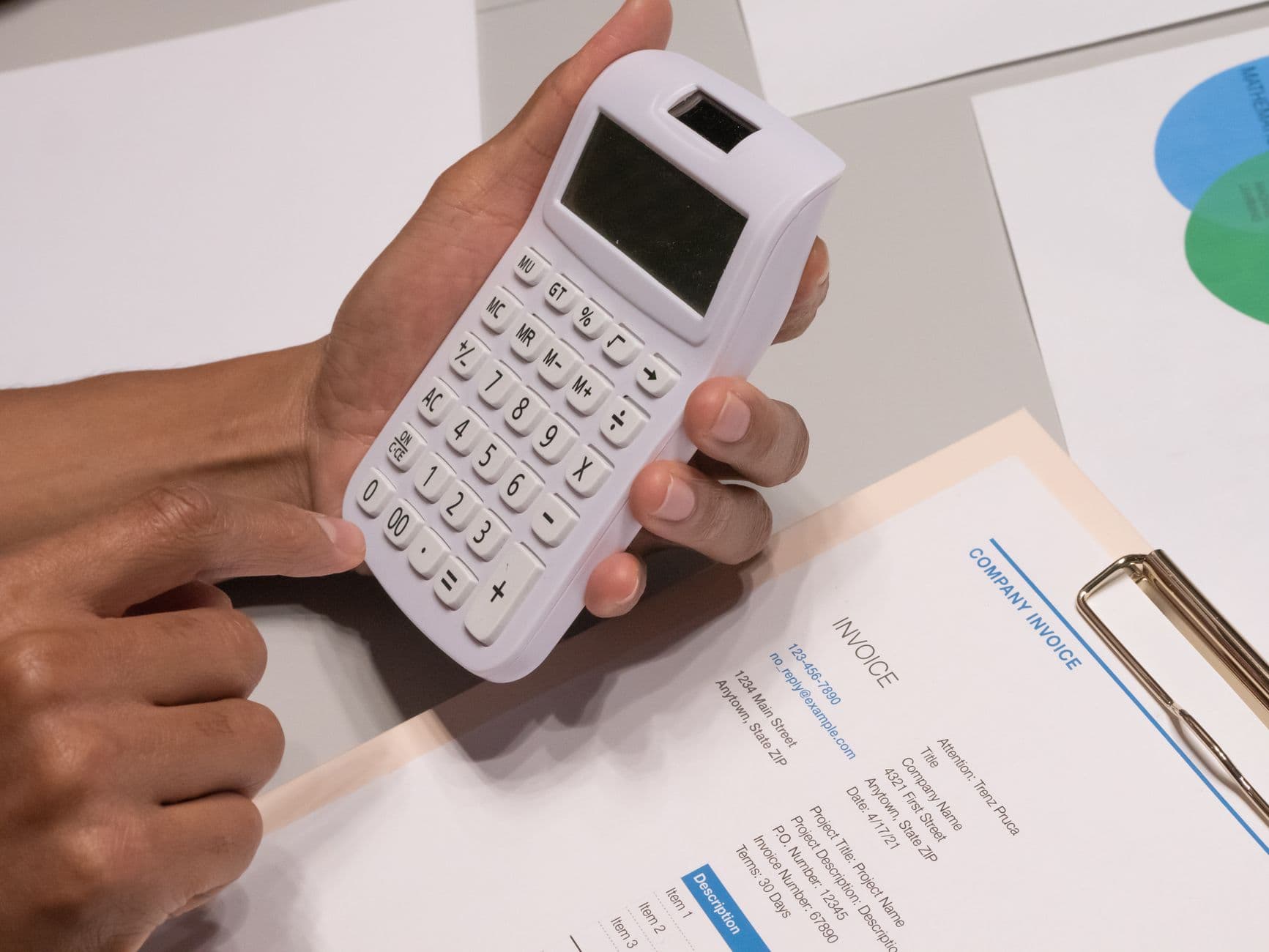
Say you pick the Business Website at $1,299. If you host with us at $19 a month, three years of hosting (36 months) comes to $684. Your three-year total is $1,983, plus your domain name each year.
You can run the same math on any quote you get:
- Write down the one-time build price.
- Add the monthly fee times the number of months you expect to keep the site. Three years is a fair number to use.
- Add yearly costs like your domain and email.
- Add any paid plugins, apps, or themes that renew every year.
- Ask what a small change costs after launch, and guess how many you will need.
Put two quotes side by side after doing this, and the "cheap" one is not always cheap anymore.
Hidden Costs Worth Asking About Up Front
- Domain name: Usually a small yearly fee, around $10 to $20 a year, whoever registers it.
- Hosting: Ask whether it is included, and for how long, before it becomes a separate monthly bill.
- Ongoing maintenance: Plugin updates, security patches, and content changes after launch. Some companies bundle this, some charge extra for every request.
- Stock photos or custom photography: A site built entirely from free stock images looks generic. Real photos of your business cost more but look far more trustworthy to a visitor.
- Email hosting: A professional email address at your own domain sometimes costs extra, separate from the website itself.
A few more costs people forget
- The SSL certificate. This is what makes your site show as secure in the browser. Free certificates are widely available: Let's Encrypt, run by a nonprofit, gives trusted certificates to anyone who owns a domain name at zero cost. If someone wants to charge you extra for a basic one every year, ask why.
- Card processing fees. If you sell online, the payment company takes a small cut of every sale. Stripe's standard rate for U.S. cards is 2.9% + 30¢ per successful transaction. On a $100 sale, that is $3.20. It is fair and normal, but it belongs in your budget.
- Email per person. Business email services usually charge per user, per month. Google Workspace, for example, lists its Business Starter plan per user, per month. Three people with their own addresses means paying for three.
- Who owns the domain. This one can turn into a real cost later. Make sure the domain is registered in your name, on your account. If the person who built your site owns it and you part ways, getting it back can cost you time and money.
One thing that should cost you nothing: your Google Business Profile. Google says creating a Business Profile and listing your business on Google is free.
If anyone charges you just to set one up, you are paying for their time, so ask exactly what that time includes.
What a Cheap Website Can Cost You Later
I have always believed that to make money, you have to spend some money. The biggest mistake I see small businesses make is picking the cheapest price first and thinking about quality later.
A website that looks fine but takes forever to load, is hard to use on a phone, and has no clear way to call you is not a bargain. It costs you every customer who leaves without calling.
That does not mean you have to overpay. It means you should know what you are paying for. Here is what a very cheap build often leaves out:
- A site that is built to load fast on a phone.
- Basic SEO setup, like real page titles and descriptions.
- Clear calls to action, like a tap-to-call phone number and a short contact form.
- Text that people with poor eyesight can actually read.
- Anyone to call when something breaks.
When those are missing, you often end up paying twice: once for the cheap site, and again for the rebuild a year or two later.
Our article on signs your website is costing you customers shows how to spot these problems on a site you already have.
The high cost of cheap SEO explains the same trap on the SEO side, and affordable web design without overpaying covers how to keep the price down without cutting the parts that matter.
Is It Worth Negotiating?
Sometimes, but not the way most people try it. Asking a company to just lower its number rarely goes well, and it can make them cut corners on your project to still hit their margin.
A better approach is asking what you would get for less: fewer pages, a template instead of a full custom design, or handling your own content and photos instead of paying them to gather it.
That gives you a real, honest way to lower the price without asking anyone to quietly do worse work.
It is also worth asking whether a smaller starting package can grow later.
A simple one-page site today that can be expanded into a full business site next year, without a full rebuild, is often a smarter first move than stretching your budget for every feature on day one.
The Question That Cuts Through Most of This
Ask any company the same question: "What is the total cost, one time and monthly, with absolutely nothing left out?" A company confident in its pricing answers this in one breath.
A company that hesitates, or starts adding "well, that depends," is telling you something about how the rest of the relationship will go.
Once you know your rough budget, the next real decision is who actually builds it. Our guide on how to choose a web design company covers the questions worth asking before you sign anything.
How to Set Your Website Budget in One Sitting
You do not need a spreadsheet expert for this. Grab a notepad and work through these steps:
- Write down the one job your website has to do. For most local businesses, that is getting people to call, book, or ask for a quote. Everything else comes second.
- List the pages you really need. A home page, a services page (or one page per main service), an about page, and a contact page covers most small businesses. That count tells you roughly which size of package you are shopping for.
- Decide what can wait. Put nice-to-have features, like a blog or online booking, on a "later" list.
- Pick a three-year number. Decide what you can spend over three years, not just this month. Then compare quotes using the three-year math above.
- Gather your materials. Your logo, real photos of your work, your list of services, your service area, and a few of your best reviews. Having these ready saves money and time.
- Ask for itemized quotes. Get at least two, in writing, with the one-time and monthly costs listed separately.
If you already have a website and are not sure whether to fix it or replace it, a free SEO audit is a good first step.
It shows where your current site stands on speed and mobile use, so you know what you are working with before you spend anything.
What a Good Quote Should Include
A real quote is more than a number at the bottom of an email. Before you say yes, check that it tells you:
- How many pages are included, and what each one is.
- Whether the design is custom or based on a template.
- Who writes the text and who provides the photos.
- Whether the site is built to work on phones first.
- What basic SEO setup is included.
- How long the build will take, and how many rounds of changes you get.
- What hosting costs after launch, and what it includes.
- What a change costs after the site is live.
- That you will own your domain and your content.
If a quote leaves out most of this, ask. A good web designer will be happy to answer, because clear answers now mean fewer surprises for both of you later.
If you want to keep your site in good shape after launch without handling it yourself, look at what website maintenance would cover before you sign, so that cost is part of your plan from the start.
Quick Answers
What is a realistic budget for a small business's first website?
For a simple, professional site with a handful of pages, expect somewhere between $400 and $2,000 as a one-time cost, depending on who builds it and how custom the design is.
Is a free website builder actually free?
Not in practice. Free tiers are usually limited (a subdomain instead of your own, ads on your site, missing features), and moving to a real plan means a recurring monthly fee, forever, plus your own time to build and maintain it.
Why do two companies quote such different prices for what sounds like the same site?
Usually because "the same site" is not actually the same scope. Ask both companies for an itemized list of exactly what is included, and the real difference in price usually becomes obvious.
How much does a website cost per month after it is built?
It depends on what you keep paying for. Most sites have a hosting fee, a yearly domain fee, and sometimes email and maintenance fees. Add them up and ask for them in writing before you sign.
With BuzFind, hosting is $19 a month, and the first month is paid at checkout.
Should I build it myself to save money?
If you have the time and only need a few simple pages, you can. Just count your hours as part of the website cost in 2026, and remember that the monthly plan fee never stops.
If your time is better spent running your business, paying someone to build it is often the cheaper choice in the long run.
Related Reading: How to Choose a Web Design Company | WordPress vs. Custom-Coded Websites
See a Real Number, Not a Range
Four packages, four real prices, nothing hidden.
From a simple 2-page site to an online store, see exactly what is included and what it costs before you ever pick up the phone.