"How long will this take?" is one of the first questions every business owner asks us, and it is a fair one. You need to plan around it.
Maybe you have a grand opening date, a new product launch, or you are tired of telling people you do not have a website yet.
Here is an honest, week-by-week look at what actually happens when a new website gets built from nothing, so you know what to expect instead of just hoping it goes fast.
We will walk through the same five stages every real website project goes through: discovery, design, development, testing, and launch. These are the website build stages you will hear about from any honest web designer.
The exact number of weeks depends on the size of the site and how quickly you can turn around feedback, but the order never changes.
This article is about building a brand new site. If you already have a website and want to replace it, the timeline has a few extra steps, like moving old pages and keeping your Google rankings.
We cover that in how long a website redesign should take.
To keep things concrete, we will follow one example the whole way through. Say you run a daycare center in Redkey, Indiana. You have never had a website.
Parents find you by word of mouth, and you want a simple site that tells them your hours, the ages you care for, and how to schedule a visit. Keep that daycare in mind as we go.
Before the clock starts: what to gather first
In many projects, a big part of the website development timeline is spent waiting on content. So the best thing you can do is gather what you have before the first call. You do not need everything perfect. You need it in one place.
Here is a short list that works for almost any small business:
- Your logo, in the best file you have. If you only have a photo of your sign, say so. That is useful to know on day one.
- Your business name, address, phone number, and hours, written exactly the way you want them shown.
- A list of what you offer. For the Redkey daycare, that means age groups (infants, toddlers, preschool), full-day or part-day care, and any before- or after-school care.
- Real photos of your place. Classrooms, the play area, the front door, your team. Phone photos taken in good daylight are fine to start.
- Anything that builds trust. A daycare would list its state license and, if it takes part, its Paths to QUALITY level. Indiana's rating system has four levels, from Level One (health and safety needs met) up to Level Four (national accreditation).
- Two or three websites you like, and one you do not. This tells a designer more than any long description.
One note for anyone working with children: only use photos where every parent has given written permission, or photos with no faces at all. Pictures of empty rooms, art on the wall, and toys on a shelf still show parents what your place looks like.
Week 1: Discovery and planning
This is the stage most people skip in their head and then wonder why the project stalled later. Discovery is where we figure out what the site actually needs to do before anyone touches a design tool.
A good discovery phase covers:
- What the site needs to accomplish. Get more phone calls? Sell products online? Let people book appointments? Every other decision flows from this answer.
- Who is visiting the site. A local plumber's customer and a law firm's client are looking for completely different things on the homepage.
- What content already exists. Do you have a logo, photos, and written copy ready, or does that need to be created? This single item affects the timeline more than almost anything else. Real content ready on day one keeps a project on schedule. Content that needs to be written from scratch, or a business waiting on new photography, is one of the most common reasons a project runs weeks past its plan.
- Sitemap. A simple list of every page the site will have, agreed on before any design work starts, so nobody is guessing later.
Expect this stage to take about a week for a normal small business site. It can be faster if you already know exactly what you want and have your content ready to go.
What a discovery call sounds like
For the Redkey daycare, the main goal is easy to name: get parents to call or book a tour. Everything on the site should point there.
The visitors are parents, often on a phone, often in a hurry, and often nervous about leaving their child with someone new. They want to know four things fast. Do you have an opening for my child's age?
What are your hours? Are you licensed and safe? How do I come see the place?
A simple sitemap for that daycare might look like this:
- Home (who you are, ages served, hours, a "Schedule a Tour" button)
- Programs (one short section for each age group)
- About (the director, the staff, the license and rating)
- Enrollment (what to bring, forms parents need, how waitlists work)
- Contact (map, phone, a short tour request form)
That is five pages. Agreeing on this list in week 1 means nobody says "oh, we also need a parent handbook page" in week 3, when adding it would push everything back.
Questions to settle before design starts
- Who on your side approves the work? If three people have to agree, decide now who has the final say.
- How fast can you reply to questions? A day or two keeps things moving. A week per reply can double the timeline.
- Do you already own a domain name? If not, who is buying it, and in whose name?
- Who writes the words on each page, you or the web designer?
- Do you need anything special, like online forms parents can fill in, or a page only enrolled families can see?
Owning your domain and hosting
If you are building your first website, you may not have a domain name yet. Buy it early, and make sure it is registered in your name or your business's name, with an email address you control.
It takes minutes to buy, but it is a pain to fix later if someone else holds it.
There is one timing detail worth knowing. ICANN, the group that oversees domain names, notes that your registrar may deny a transfer request if the domain name is within 60 days of first being registered.
So if you buy a domain on your own and later want it moved to another company, plan for that wait.
Your web designer can usually point the domain at the new site without moving it at all, which avoids the issue.
The security certificate that gives your site the padlock does not need to be a big cost either. Let's Encrypt, a nonprofit, gives these certificates out for free, and each one only lasts a few months.
That short life is why a good host renews them automatically. Ask your web designer how renewal is handled, so your site never shows a warning because a certificate ran out.
Weeks 1 to 2: Design
Once the plan is set, design starts. This usually happens in two passes.
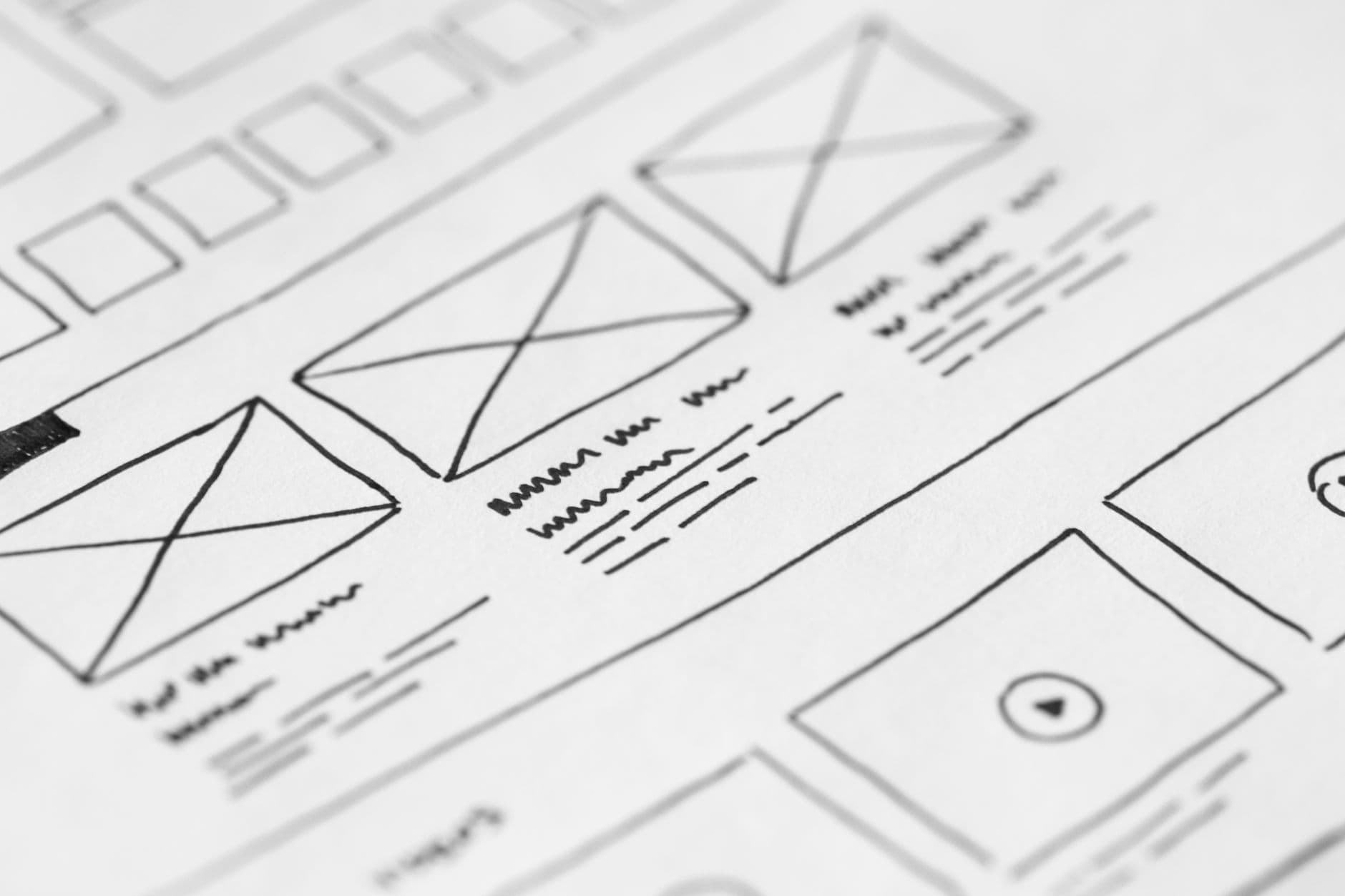
Wireframes first. A wireframe is a plain, no-color sketch of where things go on the page: header here, headline there, button here. It looks unfinished on purpose. The point is to agree on layout and structure before anyone spends time on colors and fonts that might get thrown out later.
Then visual design. Once the layout is approved, real colors, fonts, and imagery get applied. This is usually where a business sees their homepage for the first time and it starts to feel real.
A responsive design also gets checked at this stage: how does this layout hold up on a phone screen as well as on a desktop monitor?
Many of your visitors, especially busy parents, will be on their phone, so this cannot be an afterthought. We cover why that matters in more depth in our guide to mobile-first web design.
Google also uses the mobile version of a site's content when it crawls and ranks pages, so the phone layout is the version that counts most.
Design typically takes about a week for a straightforward business site, longer for something with a lot of custom pages or an online store with many product types.
How to give design feedback that keeps things moving
Design feedback is where many projects lose a week without anyone noticing. A few habits help a lot:
- Look at the design on your phone first, since that is how most people will see it.
- Put all your notes in one message. Five separate emails over three days are harder to act on than one clear list.
- Say what is wrong, and why, if you can. "The tour button is hard to find" helps more than "I don't love it."
- Ask one or two people you trust, and set a deadline for their input. Feedback from ten people pulls the design in ten directions.
Color and contrast deserve a look at this stage too. The W3C's accessibility guidelines ask for a contrast ratio of at least 4.5:1 for normal text. In plain words, text needs to stand out clearly from its background.
Pale gray text on white may look soft and calm on a daycare site, but a grandparent with weaker eyesight may not be able to read it. Our guide on website accessibility for small businesses explains what else to check.
Writing the words while design happens
The words on your site can be written while design is going on, and they should be. Waiting until the design is done to start writing is one of the easiest ways to add two weeks to a project.
Keep in mind how people really read online. Research by the Nielsen Norman Group found that on an average web page, visitors have time to read at most 28% of the words, and about 20% is more likely.
That means short paragraphs, clear headings, and the important facts near the top.
For the Redkey daycare's Programs page, that could mean one heading per age group, followed by two or three short sentences: the ages, the hours, and what a normal day looks like.
Parents who want more detail will ask on the tour. What they need from the page is enough to pick up the phone.
A few writing tips that save time later:
- Write the way you talk to parents at pickup. Plain words beat fancy ones.
- Answer the questions people ask you on the phone every week.
- Double-check every phone number, address, and set of hours before you send it. These are the details visitors trust most.
Weeks 2 to 3: Development
This is where the design becomes a real, working website. A developer takes the approved design and builds it with actual code, actual navigation, and actual functioning forms and buttons.
A few things happen here that are easy to overlook from the outside:
- Clean code from the start. Sites built with a heavy stack of plugins tend to be slower and harder to update later. A site built with modern, hand-written code loads faster and has fewer things that can break.
- SEO basics get built in from day one. Proper heading structure, fast-loading images, and schema markup (the behind-the-scenes code that helps Google understand what your business is and where it is located) should be part of development. They should never be a separate cleanup project after launch.
- Every page gets built, including more than the homepage. The homepage always gets the most attention during design reviews, but a real project includes every service page, the contact page, and anything else on the sitemap from week 1.
Development is usually the longest single stage. For a standard small business site, plan on roughly one to two weeks. A larger site, or one with an online store and product catalog, takes longer because there is simply more to build and test.
If you want to see real pricing next to real timelines, our web design and development page breaks down what is included at each tier, from a simple 2-page site up to an online store.
Why images get special attention
Photos are often the heaviest thing on a small business site. A phone photo can be several megabytes, and a page only needs a small part of that to look sharp.
During development, images should be resized to the size they will actually show and saved in a modern format. Google's own numbers show WebP images are 25 to 34% smaller than comparable JPEGs at the same quality.
Smaller files mean pages that show up faster on a parent's phone in the car line.
Each image also gets a short text description, called alt text. The W3C explains that images need these text alternatives so people with disabilities can use them, including people who use a screen reader.
"Toddler room with low tables and a reading corner" tells a blind parent far more than "IMG_4471".
Week 3: Testing
A site that looks finished is not the same as a site that is ready to launch. Testing catches the problems that only show up once real people, real browsers, and real devices touch the site.
What actually gets checked:
- Every link and every form, clicked and submitted for real, and more than just glanced at.
- Mobile and tablet views, on real devices when possible. A browser window resized smaller does not show everything.
- Page speed. A slow site loses visitors and hurts your Google ranking. This gets measured with real tools, not guessed at.
- Spelling, phone numbers, and business hours. Small mistakes here are the ones that make a business look careless to a new visitor.
- Cross-browser checks. A site that looks right in one browser can break in another if this step gets skipped.
This stage usually takes a few days to about a week, and it is worth resisting the urge to rush past it. Problems caught here are cheap to fix. Problems caught after launch, once real customers are already hitting them, cost you leads.
A testing checklist you can run yourself
Your web designer should do the full testing, but you know your business better than anyone. Before you approve launch, take 30 minutes and do this:
- Open every page on your own phone, on mobile data, and read it top to bottom.
- Tap the phone number on each page and make sure it starts a call.
- Fill in the contact or tour form with your own details and check that the message actually arrives, and where.
- Check your hours, address, and prices one more time against what you tell people in person.
- Ask a friend who has never seen the site to find one thing, like "what time do you open?" Watch where they get stuck.
For speed, Google's Core Web Vitals give clear targets: the main content should load within 2.5 seconds, the page should respond to a tap in 200 milliseconds or less, and layout shift should stay at 0.1 or less.
Our guide on what makes a website fast explains each one and how to test it.
Week 4: Launch
Launch day itself is usually quick, often just a few hours of actual work, but a few things need to happen in the right order:
- DNS and domain connection. Pointing your domain name at the new site so visitors land on it when they type your address.
- SSL certificate confirmed. This is what makes your site show a secure padlock instead of a "Not Secure" warning. Every real website needs this, no exceptions.
- Final content check on the live site. One more look, on the actual live URL, before telling the world it is open.
- Search engine submission. Letting Google know the new site exists so it can start getting crawled and indexed.
After launch, a short settling period is normal. Search engines take time to fully index a new or changed site, and it is common to make a few small adjustments in the first week or two based on how real visitors actually use it.
What "search engine submission" really means
For a new site, this usually means setting up Google Search Console, proving you own the site, and submitting a sitemap.
Google says a sitemap helps most when a site is new and has few links pointing to it from other sites, which is exactly where a first website starts.
Be patient here. Google's own help pages say crawling can take anywhere from a few days to a few weeks, and asking again and again does not make it faster.
Your site may not show up when you search for it on launch day. That is normal, and it is no sign that something went wrong.
The padlock matters from the first minute. Since Chrome 68 in July 2018, Chrome marks every page without HTTPS as "Not secure" in the address bar. A parent about to type their phone number into your tour form will notice that warning.
Your first month after launch
A few simple steps help a new site get found and keep working:
- Add your new website address to your Google Business Profile, so people who find you on the map can click through.
- Put the address on your sign, your flyers, your email signature, and any enrollment paperwork.
- Check your contact form once a week for the first month to make sure messages still arrive.
- Look at Search Console after two or three weeks to see which pages Google has found.
- Write down every question parents ask that the site did not answer. Those become your next updates.
If you want a second set of eyes once the site is live, our free SEO audit checks the basics, like speed and mobile use, and shows you what to fix first.
Common things that stretch a timeline
Most delays come from a small list of causes. Knowing them ahead of time helps you avoid them:
- Content that is "almost ready" for weeks. Send what you have, even if it is rough. Words can be polished while pages are built.
- Adding pages late. Every new page added after the sitemap is agreed means more design, building, and testing.
- Waiting on other people. A board, a business partner, or a franchise office that has to sign off can add days at each stage.
- Changing the main goal halfway through. If the site was planned around tour requests and you now want online payments, parts of the plan start over.
- Domain trouble. Nobody remembers who bought the domain, or the login is tied to an old email address. Sort this out in week 1.
So, how long does it really take?
Putting it all together, when a team builds SEO and testing into development from the start instead of treating them as separate steps later, a standard small business website can often be built in about 2 to 4 weeks from the first discovery call to launch day.
At BuzFind, a Site Builder package is faster than that, and for a site we design ourselves, you get the timeline in writing with your quote.
The speed comes from doing the work efficiently, and none of these real stages get skipped. A simple one-page site can move faster.
A larger site with an online store, many service pages, or a lot of custom content usually takes longer, mostly because there is more real work to build and test. Nobody is dragging their feet.
So how long does a website take to build for the Redkey daycare in our example?
With five pages, a logo and photos ready, and a director who replies within a day, it could land near the fast end of that range.
If the photos still need to be taken and the program descriptions still need to be written, expect it to take longer.
The single biggest thing that speeds up or slows down a timeline is how quickly a business can turn around decisions and content. The developer matters less than you might think.
A business that has its logo, photos, and page content ready on day one, and turns around feedback within a day or two at each stage, can move through this timeline close to the fast end.
A project stuck waiting on a decision or a missing photo will stall right there until that piece shows up, no matter how fast the actual build work is.
Cost follows the same logic as time: more pages and more features mean more work.
Our website plans start with Web Presence at $599 for 2 pages and go up to E-Commerce at $3,499 for 5 pages plus 20 product pages, with a cart and Stripe checkout.
Those are one-time prices, plus $19 a month if we host the site. Our guide on how much a small business website costs in 2026 explains what changes between price levels.
If you want a website built quickly without skipping any of these real stages, our web design and development team walks you through the same web design process outlined here, with a real quote and a real website development timeline before you commit to anything.
Reach out through our contact page and we will tell you honestly how long your specific project will take.